Introduction to uBlue-OS: The Immutable Container-Native Linux Era
Original Source & Credits
- Channel: TesterTech
- Video Title: [Introduction to Ublue-OS (universal-blue.org) [aurora, bazzite, bluefin]](https://youtu.be/DlJVunKR_eM)
- Publication Date: January 5, 2025
- Watch on YouTube: https://youtu.be/DlJVunKR_eM
TL;DR
- Chromebook Reliability + Workstation Power: uBlue-OS delivers an immutable, read-only system root (
/usr) that prevents system corruption while providing workstation-grade performance. - Powered by Fedora Atomic & OCI Containers: Built on Fedora Silverblue/Kinoite, whole OS builds are packaged continuously as OCI container images hosted on GitHub Container Registry (GHCR).
- Tailored Flagship Flavors: Choose Aurora (KDE Plasma for everyone), Bazzite (Gaming & handhelds like Steam Deck/ROG Ally), or Bluefin (GNOME developer workstation).
- Live
bootcRebasing: Switch desktop environments or hardware variants with a single command (sudo bootc switch) without losing personal data or reinstalling.
If you have been following modern Linux operating system trends, you have likely heard the term immutable OS or container-native desktop.
Traditional Linux distributions allow any package manager command or root script to modify system binaries in /usr, occasionally leading to broken dependencies, broken display drivers, or unbootable systems after an upgrade. Universal Blue (uBlue-OS) solves this by treating the entire operating system as an OCI container image—delivering the maintenance-free reliability of a Chromebook with the full flexibility and raw power of a workstation Linux desktop.
This introductory guide breaks down the core concepts of uBlue-OS, its flagship desktop variants (Aurora, Bazzite, and Bluefin), and how bootable container technologies (bootc) are changing desktop Linux forever.
1. What is Universal Blue (uBlue-OS)?
Universal Blue is an open-source project built on top of Fedora Atomic Desktops (formerly Fedora Silverblue and Kinoite).
Rather than maintaining custom package repos, uBlue-OS leverages OCI container images (the same container technology powering Docker and Kubernetes) to build, test, and deliver operating system images continuously via GitHub Container Registry (GHCR).
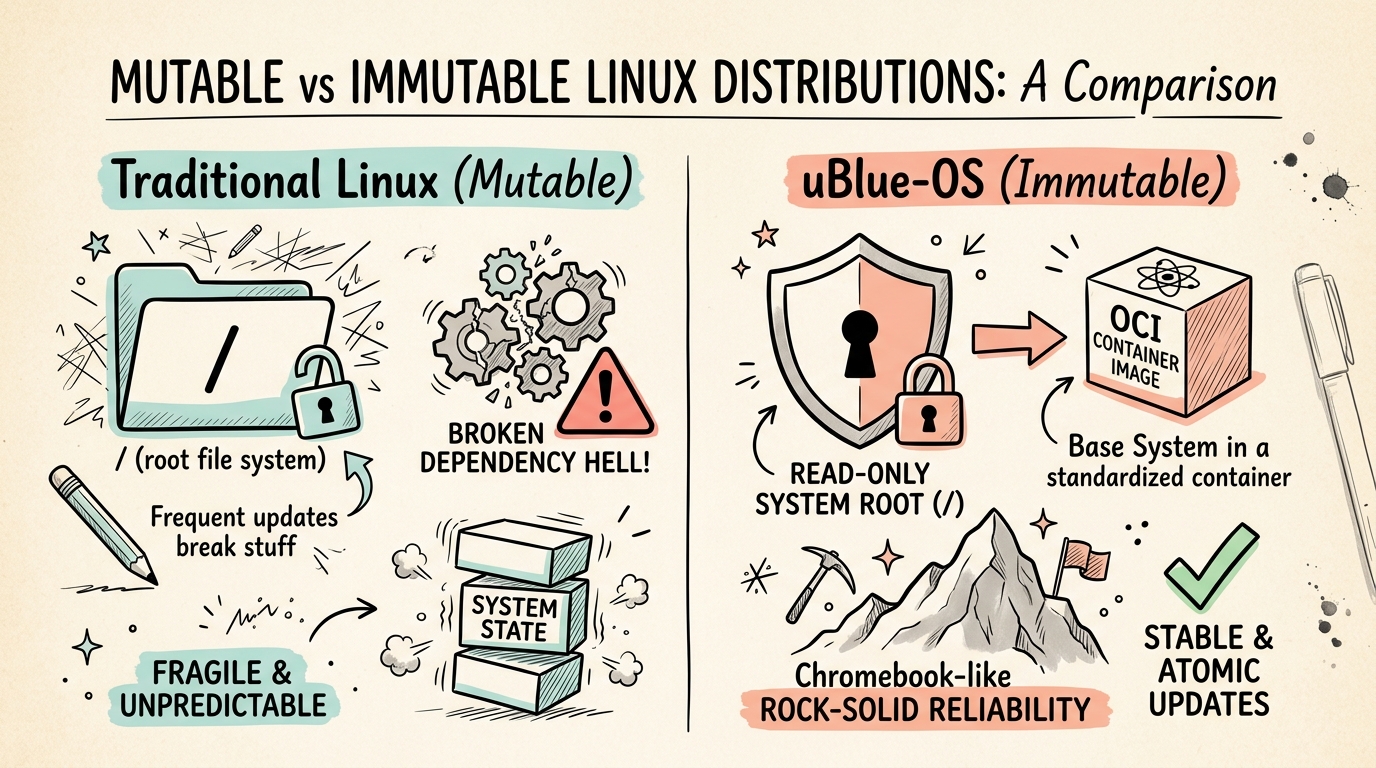
Figure 1: Comparison of Traditional Mutable Linux vs uBlue-OS Read-Only Immutable Architecture (sketch-notes illustration).
Core Benefits of uBlue-OS:
- Read-Only System Root: System directories (
/usr,/bin) are mounted read-only, preventing accidental system corruption or malware tampering. - Atomic Updates & Instant Rollbacks: Updates are downloaded as container layers in the background and applied atomically on the next reboot. If anything ever breaks,
sudo bootc rollbackinstantly restores your previous working system state. - Pre-Configured Hardware Drivers & Codecs: Unlike upstream Fedora Atomic, uBlue-OS includes out-of-the-box non-free drivers (Nvidia proprietary drivers, Xbox/Sony controller firmware, multimedia codecs, and Flatpak repos).
2. The Flagship uBlue-OS Ecosystem
Universal Blue offers specialized variants tailored for different user needs and desktop environments:
| Variant Name | Desktop Environment | Target Audience | Primary Focus & Features | Official Website |
|---|---|---|---|---|
| Aurora | KDE Plasma | General Users & Developers | Clean, polished, "batteries-included" KDE desktop for everyday computing and gaming. | getaurora.dev |
| Bazzite | KDE Plasma or GNOME | PC & Handheld Gamers | Steam Deck & ROG Ally optimization; pre-installed Steam Game Mode, Lutris, and controller drivers. | bazzite.gg |
| Bluefin | GNOME | Developers & Workstations | Developer-focused GNOME desktop pre-loaded with Docker, Podman, VS Code, and Devcontainers. | projectbluefin.io |
| uCore | Headless / Minimal | Server & Edge Host | Minimalist immutable base image for container hosts, home servers, and homelabs. | universal-blue.org |
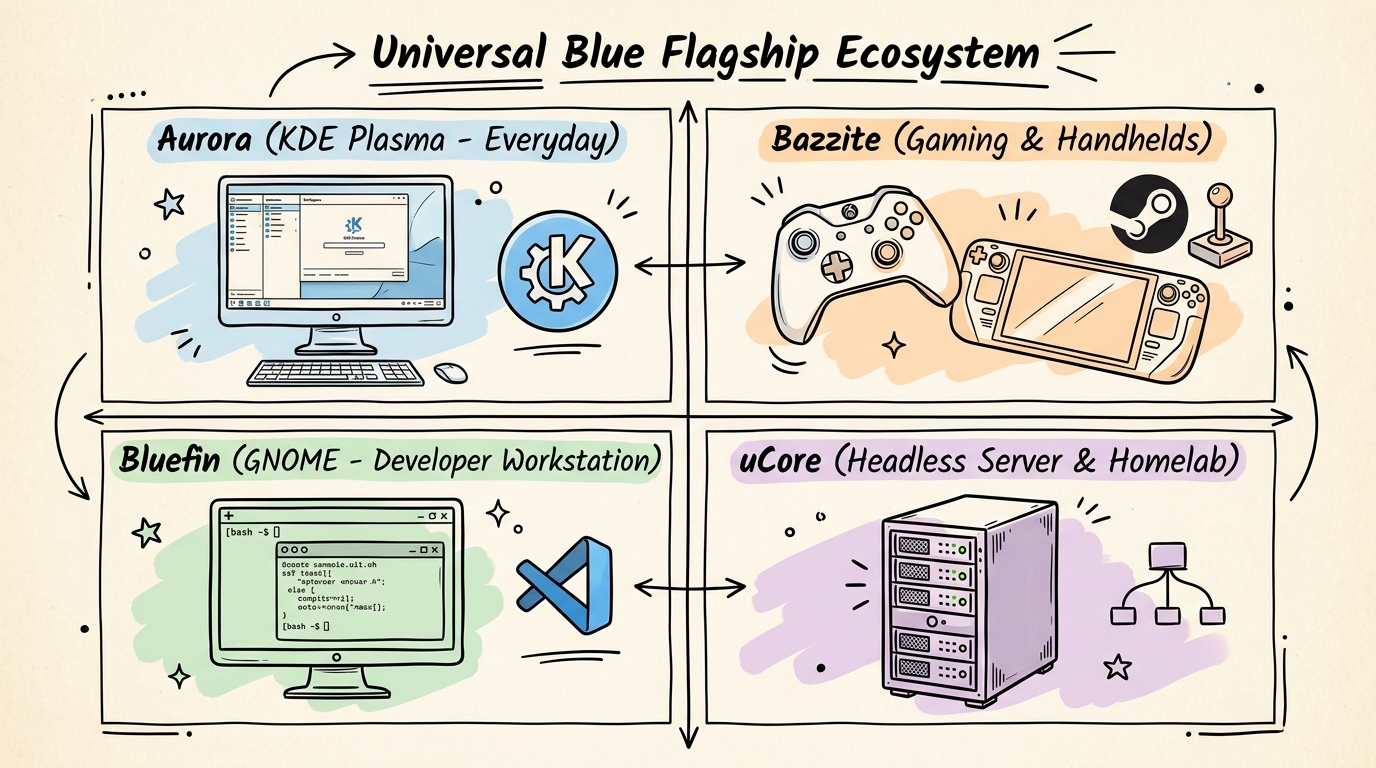 Figure 2: Overview of uBlue flagship OS variants: Aurora, Bazzite, Bluefin, and uCore (sketch-notes framework).
3. How uBlue-OS Works: The Container Layering Architecture
To understand uBlue-OS, think of containerized operating systems like layers in a cake:
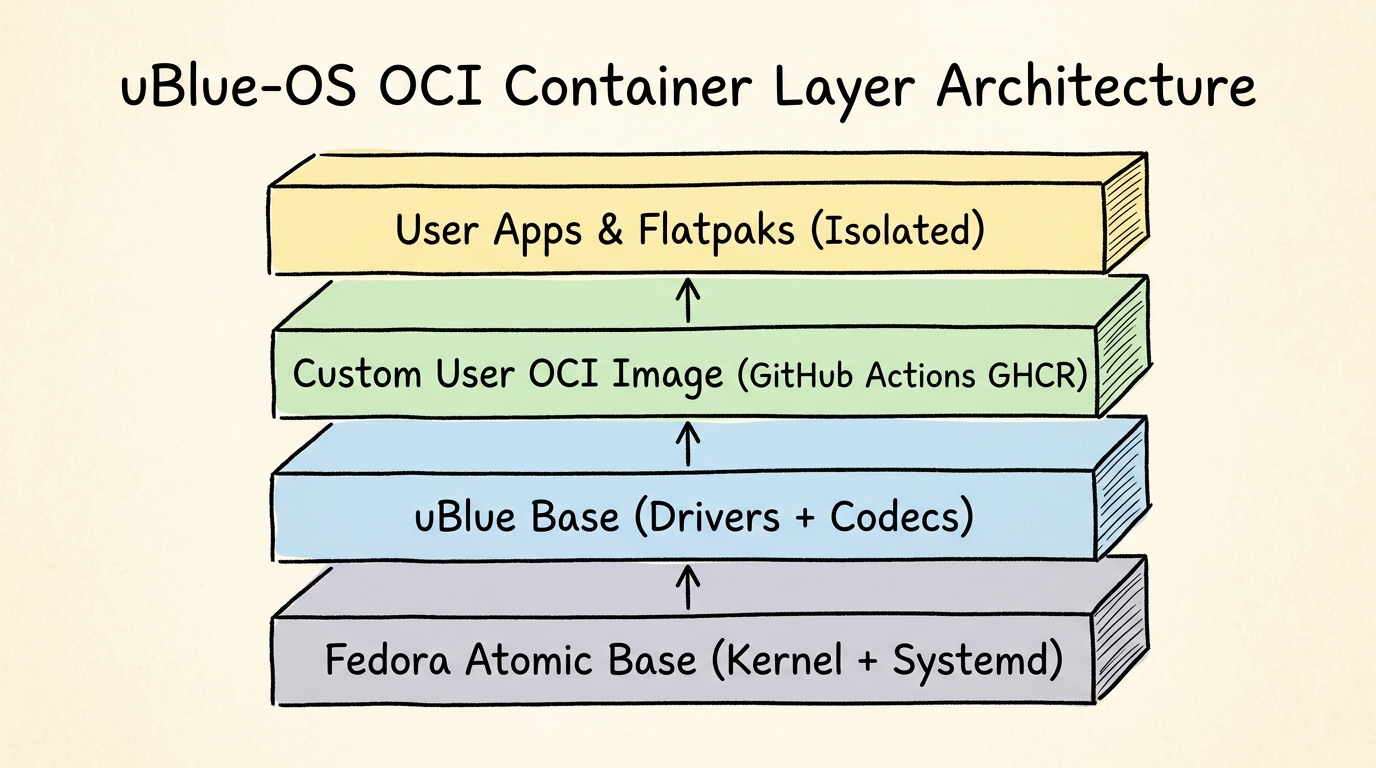
Figure 3: OCI container image layering architecture from Fedora Atomic base to user Flatpaks (sketch-notes flowchart).
1. Fedora Atomic Base: Provides the battle-tested Linux kernel, systemd, and base system utilities.
2. uBlue Base Layer: Adds Nvidia GPU drivers, audio codecs, steam controller rules, and performance tweaks.
3. User Customization Layer: Allows you to fork their GitHub template to add your own packages and configuration files using GitHub Actions.
4. User Application Layer: All personal apps run inside isolated Flatpaks or Toolbox / Distrobox containers, leaving the host OS untouched.
4. The Power of bootc: Rebase & Switch OS on the Fly
Historically, switching from GNOME to KDE or from a desktop OS to a gaming OS required backing up your files and performing a fresh format and reinstall.
With Red Hat's bootc (bootable containers) technology integrated into uBlue-OS, switching desktop environments or hardware variants is done with a single terminal command:
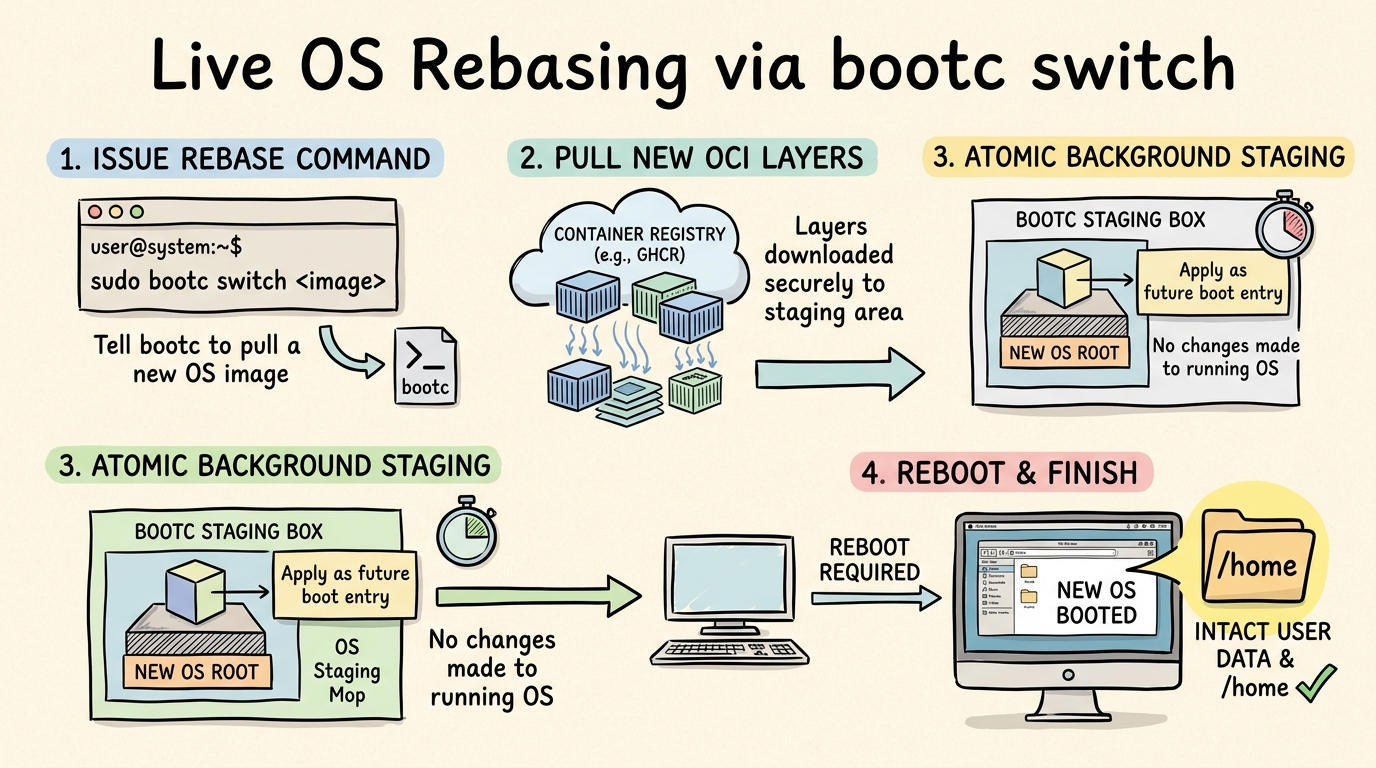
Figure 4: Step-by-step process flow of live OS switching using bootc (sketch-notes process diagram).
Example bootc Commands:
# Check current booted system image state
sudo bootc status

# Rebase to Bazzite Nvidia gaming image
sudo bootc switch ghcr.io/ublue-os/bazzite-nvidia:latest

# Rebase to Aurora KDE desktop
sudo bootc switch ghcr.io/ublue-os/aurora:latest

# Reboot to enter the new operating system image
sudo systemctl reboot
Because your /home directory is kept completely separate from the read-only system root, all your personal files, browser sessions, and settings remain perfectly intact across system switches!